
An automatic tool changer is worth considering when recurring CNC jobs require several cutters and the interruptions around manual swaps—changing tools, establishing tool length, and confirming a safe restart—regularly break up your work. It adds complexity rather than value when most of your work runs with one cutter, your real tool sequence exceeds the loaded magazine, or the manufacturer cannot clearly document how the complete tool-changing system works.
This is a guide to choosing a factory-integrated machine, not retrofitting an existing router. If your goal is to add an ATC spindle, rack, controls, and related hardware to a manual machine, see the automatic tool changer retrofit guide.
Start with the jobs that interrupt you today
Do not begin by counting tool stations on a product page. Begin with several jobs you already make, expect to repeat, or intend to quote. The relevant question is not “Would automatic tool changing be nice?” It is: “Where, in this exact job, does an operator have to stop the machine and intervene?”
A carved sign might use one cutter to clear a background, a V-bit for lettering, and a profile cutter to release the finished piece. A small mechanical part may need separate roughing, finishing, and drilling operations. By contrast, a panel-cutting job that profiles sheet stock with one cutter may offer little reason to add ATC complexity.
For each representative job, separate the operations that genuinely need different tools from those that can be completed with the same cutter. Then identify the points where a manual workflow requires you to stop, make a physical change, establish the new tool’s length, confirm the correct cutter is installed, and restart safely.
The result is a more useful buying signal than a headline specification. If your repeated work has several dependable tool changes and each interruption requires focused operator attention, an integrated ATC may remove a meaningful workflow constraint. If those events are rare, a conventional machine may remain the simpler choice.
Build one real tool sequence before comparing machines
Make a short worksheet from actual CAM jobs or planned production files. Use the order in which the program calls for each tool, not a list of every bit you own.
Treat this as an audit, not a productivity calculator. A job with three tools does not automatically justify an ATC, and a job with one tool does not automatically rule one out. The worksheet makes the tradeoff visible: how often is operator attention interrupted, and can the machine’s actual tool-changing system support the sequence without creating a new source of setup or recovery work?
Before assigning tools to a machine, it can help to map operations to the relevant cutter categories. The guide to choosing CNC router bits by the job covers cutter selection separately. A cutter that suits an operation is not automatically compatible with a particular ATC toolholder or magazine.
Understand what an integrated ATC must coordinate
An ATC is not just a spindle that releases a cutter. It is a coordinated system that exchanges prepared tool assemblies in a controlled location. Avid CNC describes an ATC system as including the spindle, tool rack, control equipment, and supplemental wiring and hoses; in that context, the cutting tool is installed in a toolholder, and the assembled unit is what the machine exchanges.
That system perspective matters because an automatic change must align several separate elements:
-
Toolholders and retention: The cutting tool must be secured in the holder system intended for the machine. The interface between holder and spindle cannot be assumed from the number of tool stations.
-
Tool rack or magazine: Each loaded tool needs a known, repeatable storage location. The rack’s position and the space it occupies can affect usable clearance and access.
-
Controls and tool table: CAM software, the post processor, the controller, and the machine’s stored tool assignments need to agree about which tool number is being requested and where that tool is stored.
-
Tool-length offsets: A tool-length offset is the stored Z reference that allows tools of different effective lengths to cut at the intended depth. Avid defines it as a per-tool value relative to a reference.
-
Clearance: The spindle, installed tool assembly, workholding, dust-control equipment, enclosure, and magazine must have room to move through the change sequence without interference.
-
Recovery behavior: The machine and its documentation should tell you what to do if a tool does not pick up correctly, is not seated as expected, or a job must be stopped and resumed.
Manufacturer documentation for another integrated system, Sienci’s ATC, similarly emphasizes that hardware and software must work together. Its implementation is specific to its own machine, software, toolholders, and support model, but the broader lesson applies: a purchase decision should evaluate the complete workflow rather than a single ATC feature label.
Do not assume that a desktop ATC uses the same holder taper, drawbar, pneumatic system, sensor arrangement, software functions, or recovery logic as a different brand’s system. Integrated ATC designs vary substantially, which is exactly why the buyer should request model-specific confirmation before treating a tool changer as a solved workflow problem.
Test magazine capacity against the whole job recipe
Tool capacity is only meaningful after you have mapped the sequence for your recurring jobs. A five-tool magazine can be a strong fit for a recurring three-tool sign job if the chosen tool assemblies fit, clear the workholding, and have a documented offset workflow. The same magazine may be a poor fit for a project that repeatedly needs more unique tools, requires duplicate tools, or includes a long drill or specialty cutter that cannot be accommodated safely.
Think in terms of the full loaded recipe, not the number of tool changes in a program. A job can change between three tools many times yet fit a three-tool magazine. Another job may use each tool only once but demand six distinct tool assemblies before it is complete.
Integrated ATC implementations do not share one universal capacity or operating pattern. Current manufacturer product pages for systems such as Makera Carvera and ShopBot Desktop MAX ATC illustrate that desktop ATC machines can differ in magazine arrangement, tool-count capacity, and tool-length workflow. Those differences are a reason to inspect each model’s documentation rather than using another machine as a proxy.
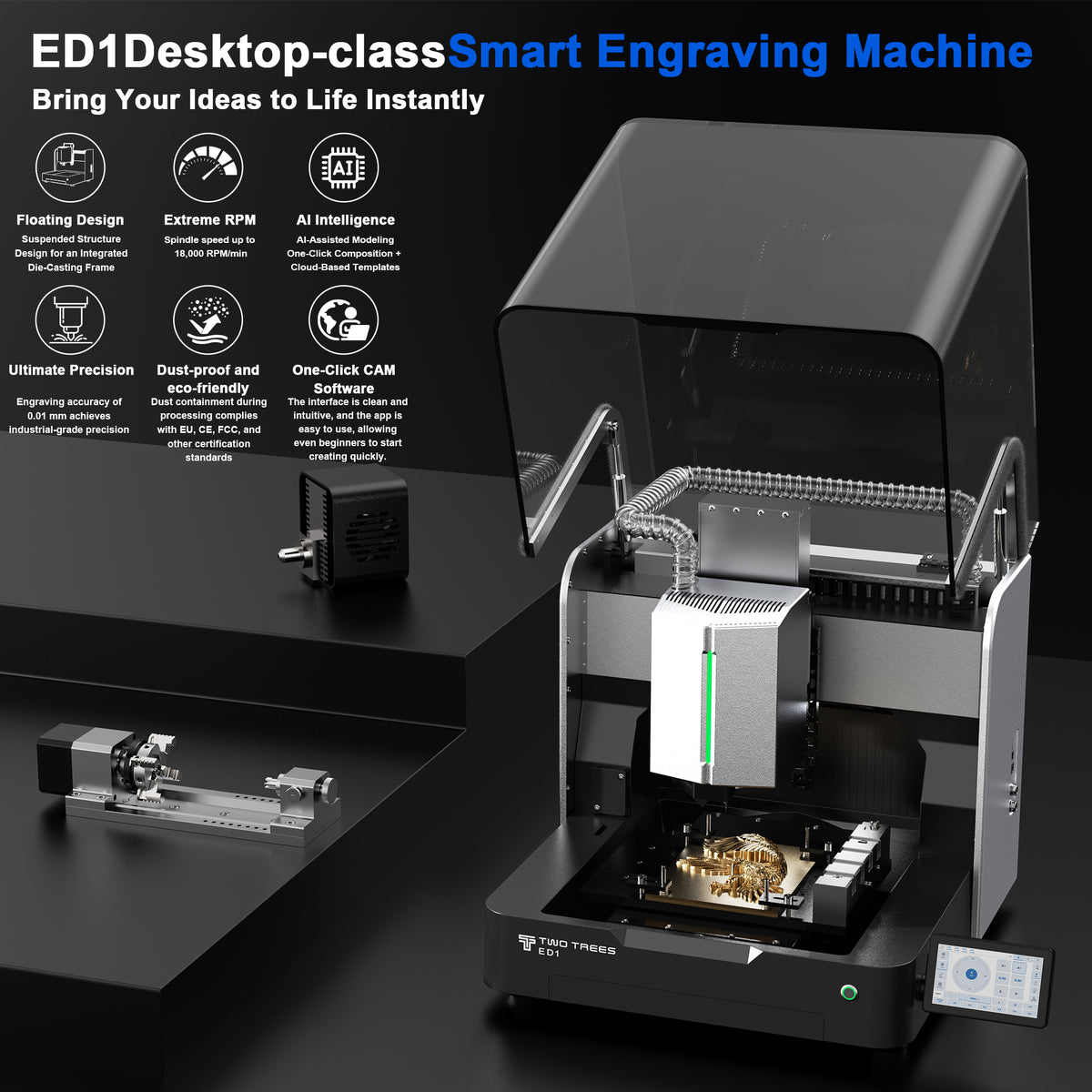
For the ED1 specifically, the current product page advertises a fully automatic tool changer with capacity for five tools. That is the appropriate starting point for the worksheet—not evidence that every five-tool combination will fit, clear the magazine, or run automatically in a specific job.
Use the following decision rules:
-
A magazine is a likely fit when every cutter needed for a recurring job can be loaded within the documented capacity and clearance limits, with any needed duplicate or spare positions considered.
-
A magazine is a conditional fit when the routine job fits but occasional work depends on additional tools or unusual tool dimensions. Confirm whether the machine supports an intended manual-change workflow and how that affects the program.
-
A magazine is a weak fit when the work routinely exceeds its loaded capacity or when frequent reloading would simply move the interruption from the spindle to the tool rack.
Capacity is not the same as tool compatibility
Magazine capacity does not tell you which cutting tools can be used. Before purchasing an ATC machine, confirm the exact toolholder interface, supported shank sizes, holder availability, maximum allowed tool dimensions, clearance around neighboring tools, and any limits created by the work envelope or rack position.
It is also essential to verify how tool numbers are managed. Avid’s ATC documentation warns that tool numbers in CAM and G-code must match the tools physically loaded in the corresponding rack positions; a mismatch can produce unexpected results and damage the workpiece. The details of that mapping are Avid-specific, but the need to keep CAM, the post processor, and the machine’s tool assignments aligned is a general pre-purchase question.
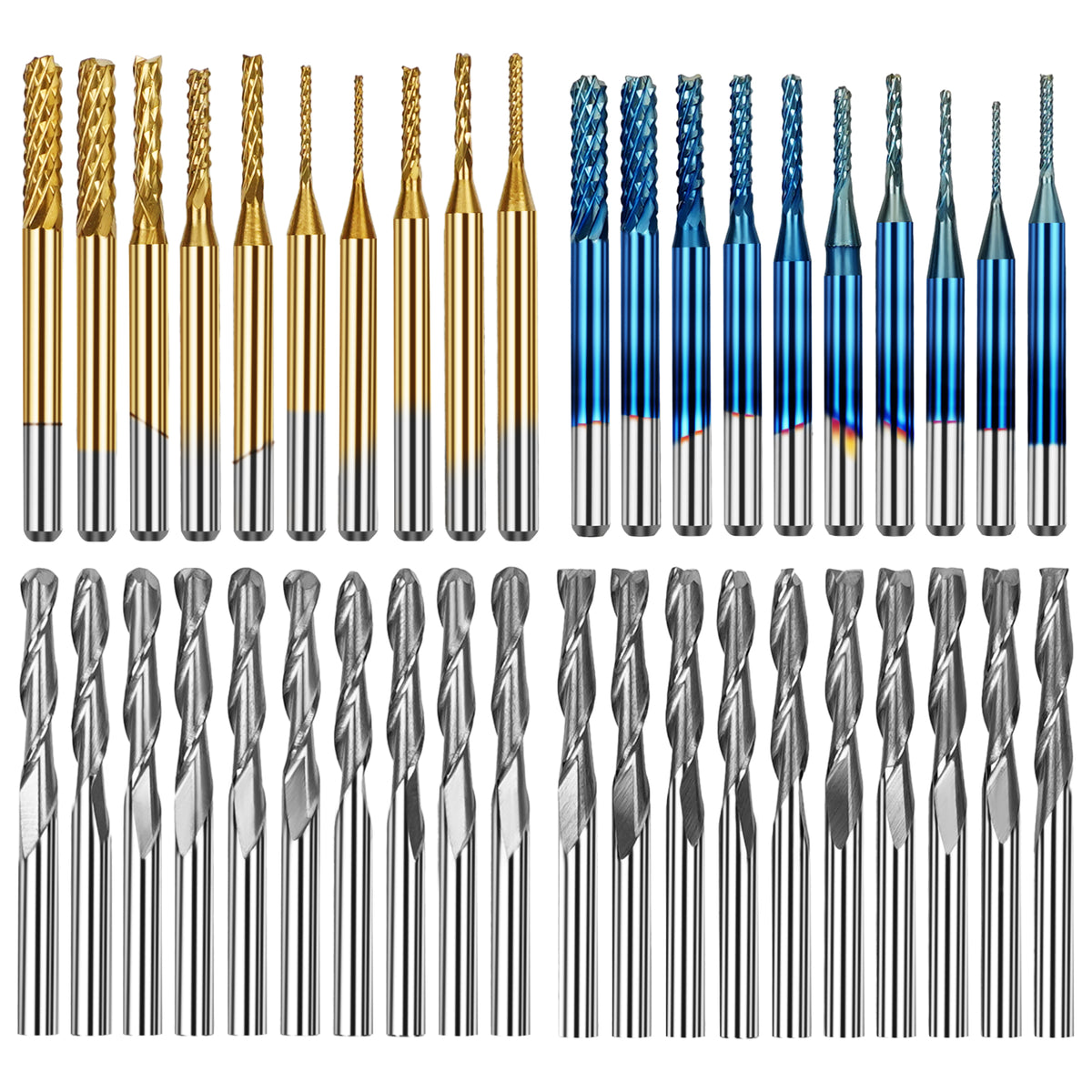
You can use the TwoTrees CNC router bits collection to identify cutter types that may belong in your job recipe. Do not treat the collection as confirmation that every listed bit fits the ED1’s automatic changer. Confirm the ED1 holder interface, permitted dimensions, and machine-specific restrictions before buying holders or tooling for automated changes.
Separate saved attention from total production throughput
An ATC can reduce some forms of operator intervention, but it does not convert a CNC program into unattended production. It may remove repeated physical swaps during a properly prepared multi-tool job; it does not eliminate the need for correct workholding, safe zeroing, tool inspection, chip and dust management, part inspection, or a documented response to a failed change.
When comparing an ATC machine with a manual-change machine, evaluate the entire workflow:
Avoid assigning a universal time value to these categories. The impact depends on your job mix, operator habits, CAM organization, setup quality, and the frequency of each job. A one-off project with several cutters may still be handled comfortably with manual changes. A recurring job that runs frequently with the same prepared tool sequence can create a stronger case for automation—even then, only if setup, clearance, recovery, and support are adequately documented.
Keep the safety boundary clear. An enclosure, a tool changer, a camera, a controller feature, or an automated workflow does not remove the need for active supervision. Secure the workpiece, use the correct cutter and collet or holder system, manage chips and dust appropriately, keep loose clothing and hair clear, use suitable eye and hearing protection, and perform tool changes and zeroing according to the machine manufacturer’s instructions.
Verify the machine around the tool changer
The machine’s ATC claim is only one part of the purchase. Before treating it as a match for your work, verify the conditions around the change cycle and the part itself.
Start with the work envelope. Your stock, fixture, clamps, and cutting operations must fit the machine’s usable space after accounting for any magazine, tool-rack, or enclosure constraints. A nominal work area is not the same as the capacity available for every fixture, clamp height, or long tool assembly.
Then examine the longest and widest tools in your real recipe. Avid’s documentation, for example, notes that maximum tool length depends on machine geometry and that a tool needs adequate clearance above the tool rack. That does not define the ED1 limit; it illustrates why a buyer needs model-specific dimensions rather than relying on station count alone.
Ask the manufacturer or dealer these questions before ordering:
-
What toolholder interface does the machine use, and how many compatible holders are supplied?
-
Which shank sizes, holder dimensions, tool diameters, and effective tool lengths are supported in the automatic changer?
-
How is each tool-length offset established and stored, and what routine verifies it before cutting?
-
Which CAM software, post processor, controller workflow, and file-handling requirements are officially supported for automatic tool changes?
-
How are tool numbers assigned between CAM, the post processor, the controller, and physical magazine positions?
-
What clearances are required for the longest intended tool, dust-control accessory, workholding, and enclosure access?
-
What happens when the program requests a tool that is not loaded, cannot be picked up, or is not correctly seated?
-
What is the documented recovery procedure after an interrupted job or failed pickup?
-
Which consumables and replacement toolholders are available, and through what service or support path?
-
What maintenance, inspection, and safety checks are required before operating the changer?
Enclosure design should be reviewed in this same system check, particularly for access, workholding, tool loading, and chip/dust management. An enclosure alone does not prove dust capture, noise performance, safety certification, or suitability for unsupervised or student operation. For a separate comparison of enclosure formats, see enclosed and open CNC routers.
Place the TwoTrees ED1 on the same scorecard
The TwoTrees ED1 enclosed desktop CNC is a current integrated-ATC candidate for buyers whose work fits a compact, enclosed desktop format. Its product page advertises a fully automatic tool changer with capacity for five tools, a 300 × 200 × 120 mm work area, and a 600W variable-frequency spindle. These are manufacturer-published product statements and should be checked against the current configuration at the time of purchase.
For a buyer whose recurring sign work uses a clearing cutter, V-bit, and profile cutter, the advertised five-tool capacity may be relevant. It gives that job recipe room on paper for three prepared tools, subject to confirmation of holder compatibility, tool dimensions, clearance, and the machine’s tool-offset procedure. It does not by itself prove that every three-tool sign file will run without intervention or that the ED1 is the right choice for all materials, fixtures, or production requirements.
The ED1 page reviewed for this article does not clearly document several details needed for a more specific ATC workflow recommendation:
This is not a defect list. It is the due-diligence list that should accompany any desktop ATC purchase. If TwoTrees can provide current, model-specific documentation that answers these questions and your job audit fits five loaded tools, the ED1 may be a relevant candidate to investigate further. If the answers are unavailable or do not match your tool sequence, keep the machine in the conditional-fit category rather than assuming integration solves the workflow.
Choose integrated ATC, assisted manual change, or a simpler machine
The practical choice follows the work, not the feature count.
An integrated ATC desktop CNC is a credible fit when recurring jobs use several prepared tools, the full job recipe fits the documented magazine and clearance limits, and the manufacturer can explain the holder system, tool-length workflow, CAM/control path, recovery procedure, service support, and safe operating requirements. It is particularly useful when manual change events repeatedly interrupt otherwise stable, repeatable work.
An assisted or manual-change workflow can be the better middle ground when multi-tool jobs occur occasionally, when specialized cutters exceed the magazine’s practical limits, or when you value a simpler setup over automated exchange. The operator still changes the tool, but a disciplined tool table, documented zeroing method, and restart checks can make occasional multi-tool work manageable.
A simpler CNC machine is often the sounder choice when most projects use one cutting tool, when your priority is a larger work envelope or another machine constraint, or when the ATC documentation does not support your intended workflow. Buying automation that your job recipes do not use can add setup and maintenance obligations without removing a real bottleneck.
If your audit shows that your recurring jobs fit within five loaded tools, use the current ED1 product information as the next step—not the final answer. Review the TwoTrees ED1 enclosed desktop CNC, then confirm the toolholder, tool-offset, clearance, post/control, service, and recovery details with TwoTrees before ordering.


