
A laser cut Advent calendar should be designed around what happens each day: a gift comes out, a number is removed, or an activity is revealed. Choose drawers or boxes when enclosed storage matters. Choose hanging tags, bags or activity cards when the countdown does not need a cabinet. Then check three different dimensions: the space for the contents, the room for opening or removing them, and the largest flat part you must cut.
That order is more useful than starting with an attractive house-shaped file. A beautiful front view cannot tell you whether a wrapped gift fits inside, whether a drawer will slide after finishing, or whether the backboard fits your laser engraving machine. Decide what the calendar must do before choosing its decoration.
Choose the daily reveal before the compartments
Consider two hypothetical projects. One family wants a note each day suggesting an activity, such as choosing a film or making a decoration together. Another wants to hide small wrapped gifts. Both projects are Advent calendars, but they do not need the same construction.
For activity notes, laser-cut numbered tags can hang beside folded cards or reusable envelopes. An engraved board with a movable marker can work when the purpose is simply to count down. These formats avoid building a fitted wooden container for every day. They also allow the messages to change next year without changing the decorative board.
For wrapped gifts, the container is part of the experience. Measure the largest intended package, including its wrapping, rather than designing around the smallest item. A compartment's outside dimensions include its walls and joints; its useful interior is smaller. The opening also has to admit the package, and fingers need enough access to remove it. A gift that fits only when pushed diagonally into an empty box may be awkward to retrieve from a crowded calendar.
Erich Styger's original laser-cut house calendar illustrates another demand on space: its removable boxes occupied the house, while the lighting components went into a separate base. That was a solution for his particular design, not a TwoTrees build. The broader design lesson is to reserve space for each function instead of assuming decorations, contents and optional components will all fit behind the façade.
Drawers, removable boxes and hanging formats solve different problems
A drawer cabinet keeps its numbered compartments together in one object. That can be appealing for a display that stays on a shelf throughout December. It also creates a repeated mechanical requirement: each drawer must remain square enough to slide, with an accessible grip and room to withdraw it. A deep cabinet may hold larger items, but it also occupies more shelf depth and needs suitable support.
Separate removable boxes trade that continuous cabinet front for more flexible access. You can lift out a box to fill it, arrange boxes in a house or stepped display, and replace an individual damaged component. The trade-off is that the boxes and their supporting structure still have to work together; decorative trim must not block the path used to lift them out. A removable lid is not helpful if the roof above it prevents opening.
A hanging calendar makes a different trade. Laser-cut numbers or tags can identify bags or envelopes without requiring all the storage to be made from wood. This is useful when the gifts vary in size or the calendar must pack relatively flat after the season. However, the rail, board, hooks or other attachment must suit the actual contents. More bags do not create more support capacity, and a light paper-note version should not be treated as a proven design for heavy gifts.
If there are no objects to hide, an activity-card or movable-marker format can be the better answer. The design problem becomes legibility and convenient daily handling rather than box volume. For the hypothetical activity-note family, adding drawers might increase assembly work without improving the reveal. For the gift family, replacing drawers with tags alone would remove a function they actually need.
Give moving parts a different fit from glued joints
A tab-and-slot joint locates panels and may become a permanent glued connection. A drawer needs to move repeatedly. Those are different jobs, so a snug fit that is useful during assembly does not establish a suitable sliding clearance.
In an original project account, maker bdm1 abandoned a reversible-back feature after prototyping revealed problems with sliding and appearance. This is a useful example of why a feature that looks convincing in a drawing still needs a physical trial. It is not a universal clearance specification or a result obtained on a TwoTrees machine.
Think about the calendar as it will be used, not just as it comes off the laser. Paint or another finish can change the surfaces that slide past each other. Pulls, trim and neighbouring compartments can obstruct access. A drawer also needs to work while containing its intended item, not only when it is empty on a workbench. Test those conditions together in one representative unit before committing to the repeats.
For a hanging format, the equivalent trial is an attachment and its intended bag, tag or card. Check that it can be handled and returned without tearing or catching. This is still a physical design problem, but it does not require you to solve drawer mechanics when the project has no drawers.
Match the flat parts to the laser, not the assembled silhouette
A finished calendar and its cutting layout can have very different dimensions. Small box sides may assemble into a wide display, while a shallow calendar may still require one large backboard. Identify the largest single part in the file before judging whether the project fits your machine.
The TwoTrees TTS-20 Pro laser engraving machine, for example, lists a 418 × 418 mm engraving area. Use that stated specification as a starting point for checking flat-part dimensions, then account for the actual material position, securing method and required margins in your setup. It is not a guarantee that every design smaller than that square can be processed without adjustment.

Suppose a design's drawers and trim fit comfortably on your available sheets, but its backboard does not. Making the drawers smaller will not solve the backboard problem unless the whole architecture changes. You might choose a panelled back with a seam incorporated into the decoration, separate freestanding boxes, or a hanging structure without a single large backing panel. Each option changes the appearance and assembly; splitting a panel is not simply a way to ignore its original structural role.
Conversely, a calendar can sometimes be larger when assembled than the machine's stated engraving area because it is built from smaller parts. That possibility depends on the actual design. Check every part, not just the easiest sheet shown in a listing, and include the space needed for tabs or projecting trim.
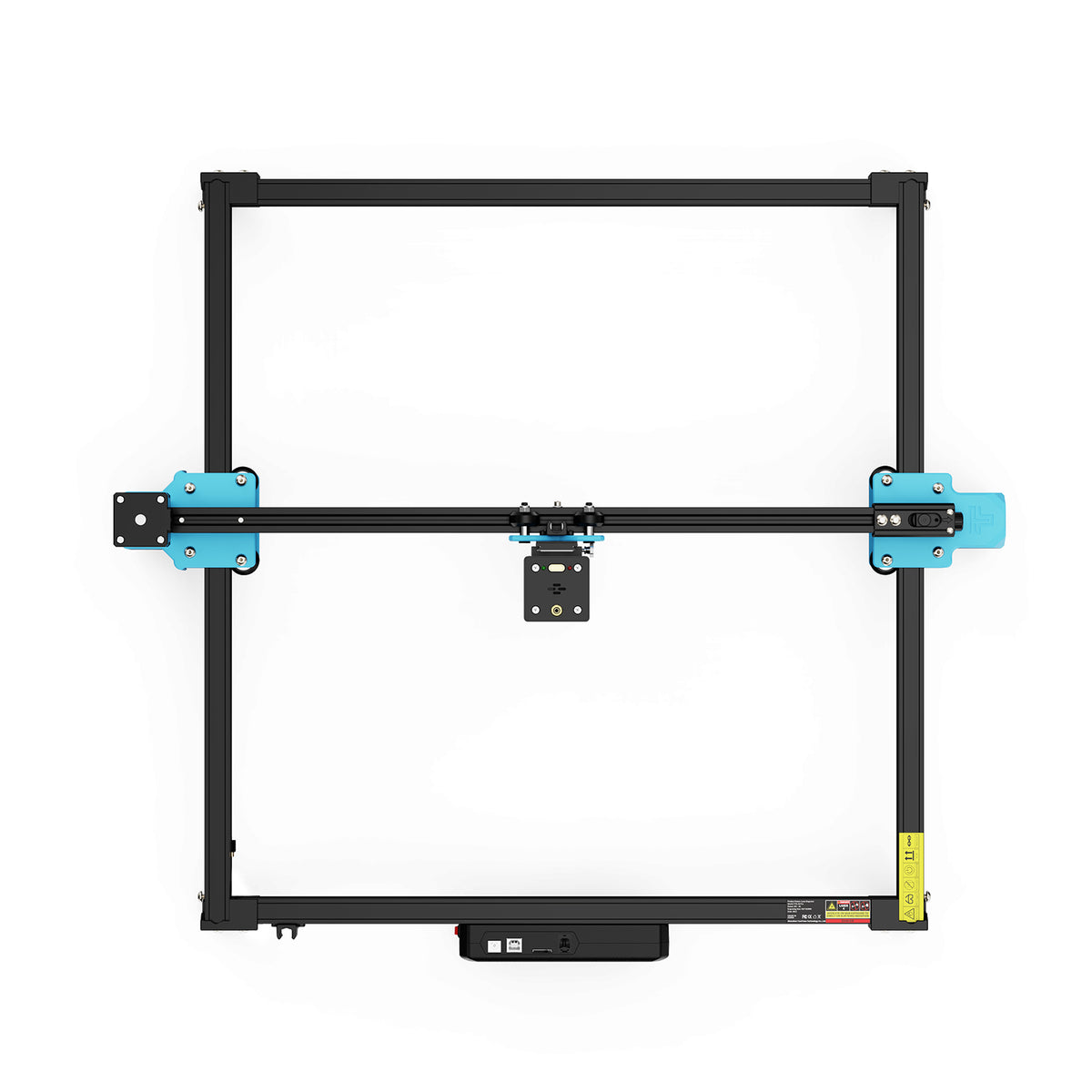
The machine photograph explains the platform, not a completed Advent project. Selecting a layout still leaves material suitability and processing conditions to establish for the exact laser and stock. Neither a work-area dimension nor a decorative file demonstrates a particular plywood cutting thickness or a successful finished calendar.
Changing material thickness is not just changing the picture size
Uniform scaling changes all the geometry: compartments, tabs, slots, lettering and openings. If a design nominally uses 4 mm material, scaling it to 75 percent would turn a drawn 4 mm slot into a drawn 3 mm slot. But it would also shrink the space for every gift. It does not, by itself, establish the correct finished fit for your actual 3 mm sheet, laser kerf and joint design.
If you want to preserve the original compartment sizes, adjust the thickness-sensitive geometry instead of shrinking everything. Even when you do want a smaller calendar, recheck the contents and the joints separately. Nominal sheet thickness, the material removed by the cut and the finish can all matter to the final fit.
The guide to measuring plywood tabs and slots with a kerf coupon explains how to investigate that joint-specific task. Use a suitable coupon for the structural connection, then assess moving parts for their different purpose. One successful glued joint is not a complete test of a sliding drawer.
Make the first prototype answer the hardest question
Choose the unit whose failure would undermine the design. For the gift calendar, that may be the smallest compartment expected to hold a wrapped item. For a drawer cabinet, it may be a drawer beside decorative trim. For a hanging calendar, it may be the attachment with the intended bag and contents. A generic sample square would not answer these questions.
Build that unit with the intended material and finish, then use it as intended. Fill the container, remove the contents, open and close the moving part, or handle the tag and its attachment. If the item fits but cannot be retrieved conveniently, enlarge the access or change the format before producing the other compartments. If the prototype works, use what it establishes for that design and material; do not treat it as proof that every differently sized compartment will behave identically.
Also distinguish decorative artwork from an assembly design when choosing a file. A vector drawing can supply attractive numbers without supplying boxes, joints or instructions. For a complete calendar, look for the actual parts, material assumptions and assembly explanation, and check the designer's terms for the use you intend. A file's appearance alone cannot establish any of those details.
During laser processing, keep gifts, bags and wrappers out of the work area. Use identified materials suitable for the exact laser, including any coatings and adhesives; do not cut PVC or unknown plastics. Follow the machine's protective setup and extraction instructions, and supervise operation. Trotec's material and laser-safety guidance supports those general boundaries, not any claim that an open-frame machine is made eye-safe by its module shield.
After processing and finishing, assess the calendar for its intended use. Do not infer food-contact or toy suitability from a wood label or a successful cut. Choosing a treat-storage design is separate from establishing that its surfaces, finishes and contents are appropriate for that use.
For the activity-note family, a readable reusable tag and a convenient place for each message may complete the task. For the gift family, a compartment that holds its intended package and allows easy retrieval is the meaningful starting point. Once the reveal, access and flat-part layout agree, the decorative file can serve the design instead of dictating it.
Questions about choosing an Advent calendar file
Can I reuse the calendar next year without replacing its front?
Choose changeable contents and a front that does not depend on a specific year or recipient. Removable messages, tags or boxes let you refresh the daily reveal while retaining the structure. Reuse also depends on how the calendar survives handling and storage, so consider how delicate projecting pieces will be protected after December.
Should I choose a numbered layout in order or mix the numbers?
An ordered layout makes the next day easy to find; mixed numbers make finding it part of the activity. Neither changes the need for readable numbers and accessible compartments. If the design uses boxes of different sizes, decide how the intended items map to those boxes before choosing where the numbers go.
Does a file labelled SVG include everything needed to build the calendar?
No. SVG describes a vector-file format, not whether the download contains a complete assembly, verified dimensions, instructions or permission for a particular use. Check the actual contents and the designer's documentation rather than treating the extension as a completeness claim.


