
The TwoTrees ED1 4th-axis CNC rotary module kit is useful when a small project needs features that wrap around a supported part or must be reached from several angular positions. It is not a way to turn every flat relief into rotary work, nor a lathe replacement or five-axis undercut solution.
The rotary kit is designed for the ED1 desktop CNC platform, whose published applications include 360-degree rotary carving, multi-sided machining, cylinders, curved objects, sculptures, jewelry, RC wheels, and mechanical prototypes. Its published A-axis clamping bounds are a maximum clamping length of 100 mm and maximum clamping diameter of 50 mm; those are clamping limits, not a guarantee that every stock blank of that size will fit with the intended tool, holder, support, and cutter path.
Small Wooden Decorative Handles
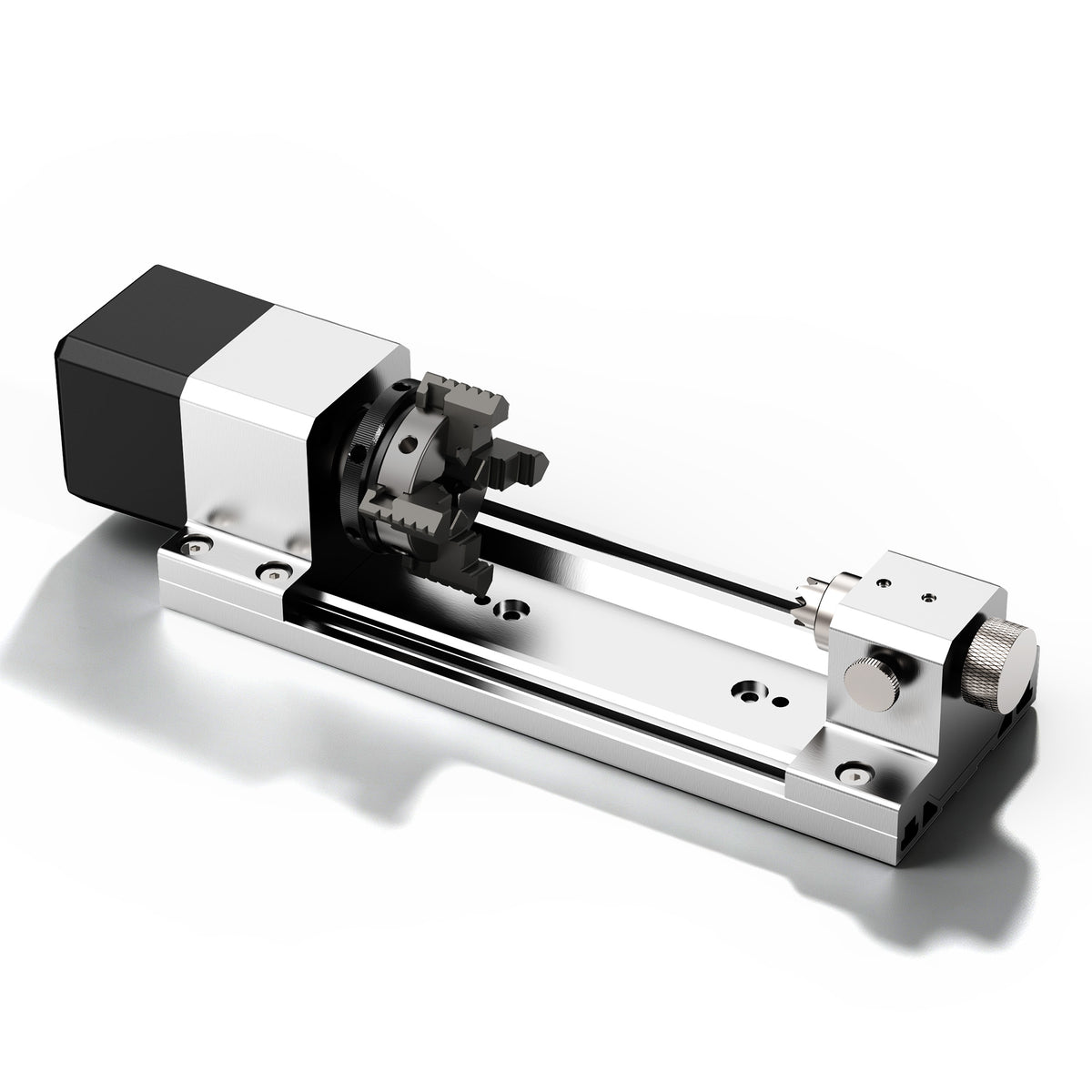
A small wooden handle is a practical first rotary project when the design needs a feature that continues around the stock. A carved grip texture is different from a broad geometric band: the texture changes how the surface feels and may require cutter geometry suited to fine, repeated detail, while a broad band can emphasize visual rhythm. Choose the feature you actually want, rather than adding an all-around pattern simply because the machine can rotate the blank.
The rotary axis helps because the cutter can remain positioned relative to the rotating part while the pattern progresses around it. The design still needs a suitable blank: straight, adequately supported stock with enough grip allowance at the ends, and a cutter path that remains clear of the chuck, tailstock, support, tool holder, and machine structure.
A hypothetical cylindrical blank 25 mm in diameter and 60 mm long falls below the published clamping bounds, but that does not automatically make it a finished fit. The actual swept envelope—stock, fixture, tool, holder, and rotation—still determines whether the setup is physically workable.
For a first handle design, decide whether the goal is a tactile surface or a visual accent. A narrow decorated band leaves more plain material and confines the detail to a defined region; a pattern over the entire grip asks more of tool access and the design’s continuity around the circumference. These are different projects even when they begin with the same wooden blank. Choose the feature deliberately before adding further decorative elements.
Miniature Columns and Posts
A miniature column or post is another project where circumferential access matters. A repeating motif, fluted texture, or decorative band can be planned to continue around a narrow wooden blank, making the rotary module useful for a small architectural model component or seasonal prop detail.
A Halloween prop component is one creative example: a small decorative post with a repeating carved motif can become part of a larger handmade display. The rotary approach is useful when the motif wraps around the part; a one-sided relief on a flat plaque can be made with ordinary X/Y/Z motion instead.
The design choice matters. A repeating angular motif may be planned as separate features around the part, while a wrapped pattern follows the cylinder’s surface continuously. Autodesk describes wrap toolpaths as calculating unwrapped geometry and mapping the resulting toolpath around a specified cylindrical radius. The cylinder requirement belongs to that particular CAM approach; it is not a claim that every tapered or irregular object can use the same wrapping method.
In a hypothetical miniature display, a post with the same emblem at several viewing angles solves a different design problem from a continuous spiral ornament. The repeated emblem is intended to be recognizable from different sides; the spiral is intended to be read as one continuous feature. Picking that visual objective first helps you decide what the rotary setup must actually accomplish, rather than choosing the accessory because the component happens to be round.
Small RC Wheels and Round Prototype Bodies
A small RC wheel, hub, or round prototype body can suit the rotary module when its features lie around the outside of the part. Outside recesses, decorative ribs, or prototype details distributed around a cylindrical body are examples where rotating the part can keep the cutter working around the intended circumference.
This is a project-planning use case, not a promise about strength, durability, or suitability for a safety-critical RC application. Material choice, wall thickness, balance, fastening, and the intended loads remain engineering decisions for the builder. The rotary module enables access to the geometry; it does not certify the finished part.
Not every feature on a round part needs rotary motion. An axial center bore or work confined to an end face may need a different orientation, while outside ribs and recesses distributed around the circumference are where rotary access becomes directly useful. Autodesk’s rotary CAM guidance also distinguishes straight-walled pockets cut into a cylinder with indexed motion from rotary pockets whose wall geometry changes with the tool’s angle toward the center. A wheel concept must account for these different feature directions, not just its circular silhouette.
Round Decorative Components

Small decorative barrels, beads, and round ornament components are also plausible rotary projects when the design benefits from an all-around pattern. A personalized wooden ornament blank, a decorative bead for a craft project, or a small non-food decorative barrel can use a repeating carved band or texture that wraps around the stock.
Design the visible decorated middle with plain gripping and support allowances at the ends. The full stock length is not automatically usable machining length: the fixture needs material to hold, and the tool must remain clear of the chuck, tailstock, holder and machine structure. A small ornament component may be manageable; a full rolling pin, long chair leg or large vessel is a different class of work and should not be assumed to fit simply because it is round.
Imagine an ornament whose central band carries the artwork while the ends remain plain. That gives the design a visible focus and reserves material for the chosen gripping and support arrangement. Do not specify the artwork over the full blank and only afterward discover that the fixture occupies part of it. The decoration’s position is a project-design decision, not just a final placement adjustment.
Choose the Geometry Before the Accessory
The useful question is not “Is my design 3D?” It is whether the physical feature needs to wrap around the part or be reached from more than one angular position. A flat wood plaque or one-sided relief can use ordinary X/Y/Z motion. A wrapped all-around pattern needs a CAM strategy and post-processor appropriate for the machine and rotary setup.
For the cylindrical wrap approach described by Autodesk, the selected surface must be a cylinder, not a cone or irregular surface. That is a useful filter for an early design: a supported cylindrical blank with one purposeful all-around feature is simpler to reason about than a freeform shape with many unrelated operations. The CAM strategy and machine-appropriate output still have to match the actual setup.
Once the project geometry is clear, choose compatible cutter geometry for the actual material and feature. The TwoTrees CNC router bits collection is a place to consider bit options, but shank fit, holder compatibility, reach, and the intended cut remain project-specific decisions. A fine grip texture, a broad decorative band and a shallow recess do not necessarily call for the same cutter geometry.
Pick the Feature That Makes Rotation Worthwhile
If your first idea is a handle with a deliberate all-around texture, a miniature post viewed from several sides, or an ornament with a decorated middle, the rotary module addresses a clear access need. If the design is a flat plaque or an end-face inscription, the fact that another part of the object is round is not a reason to choose rotary machining. Start with the feature, then select the supported blank, holding arrangement and compatible toolpath that make that feature practical.
Is a fourth axis the only way to make a round wooden handle?
No. A rotary module is useful for circumferential access, but round parts can also be made by other manufacturing approaches. The fourth axis is most valuable when the design benefits from machining features around a supported rotating blank.
References
Autodesk guidance on cylindrical wrap toolpaths and pocket geometry


