
A CNC touch probe and an optical 3D scanner usually answer different questions. A workpiece probe helps locate physical stock for a design you already have. An optical scanner captures surface geometry when the physical shape itself is the information you need. Choosing between them starts with the missing information—not with which device has “3D” in its name.
The distinction is not an absolute division between contact and noncontact hardware. Dedicated contact scanning systems also exist. For a desktop CNC project, the useful comparison is between establishing a workpiece reference and acquiring geometry for a digital representation. Those results can serve different stages of the same project without being interchangeable.
When the Design Exists, the Missing Answer May Be Location
Consider a hypothetical wooden sign with finished artwork and prepared toolpaths. The lettering, border and pocket shapes are already defined. The maker does not need a sensor to rediscover those shapes; the immediate problem is relating the program's reference to the blank secured on the machine.
That is a workpiece-location task. A program describes positions relative to a chosen origin, while the physical blank occupies an actual position in the setup. Establishing their relationship lets the intended design be located on that stock. Knowing the blank's location does not create the sign artwork, just as possessing the artwork does not establish where a newly loaded blank sits.
The TwoTrees ED1 3D wired probe belongs in this part of the decision. TwoTrees presents the dedicated accessory for workpiece positioning and origin location. For a maker who already has the design, that role addresses a real setup need rather than an absent digital model.
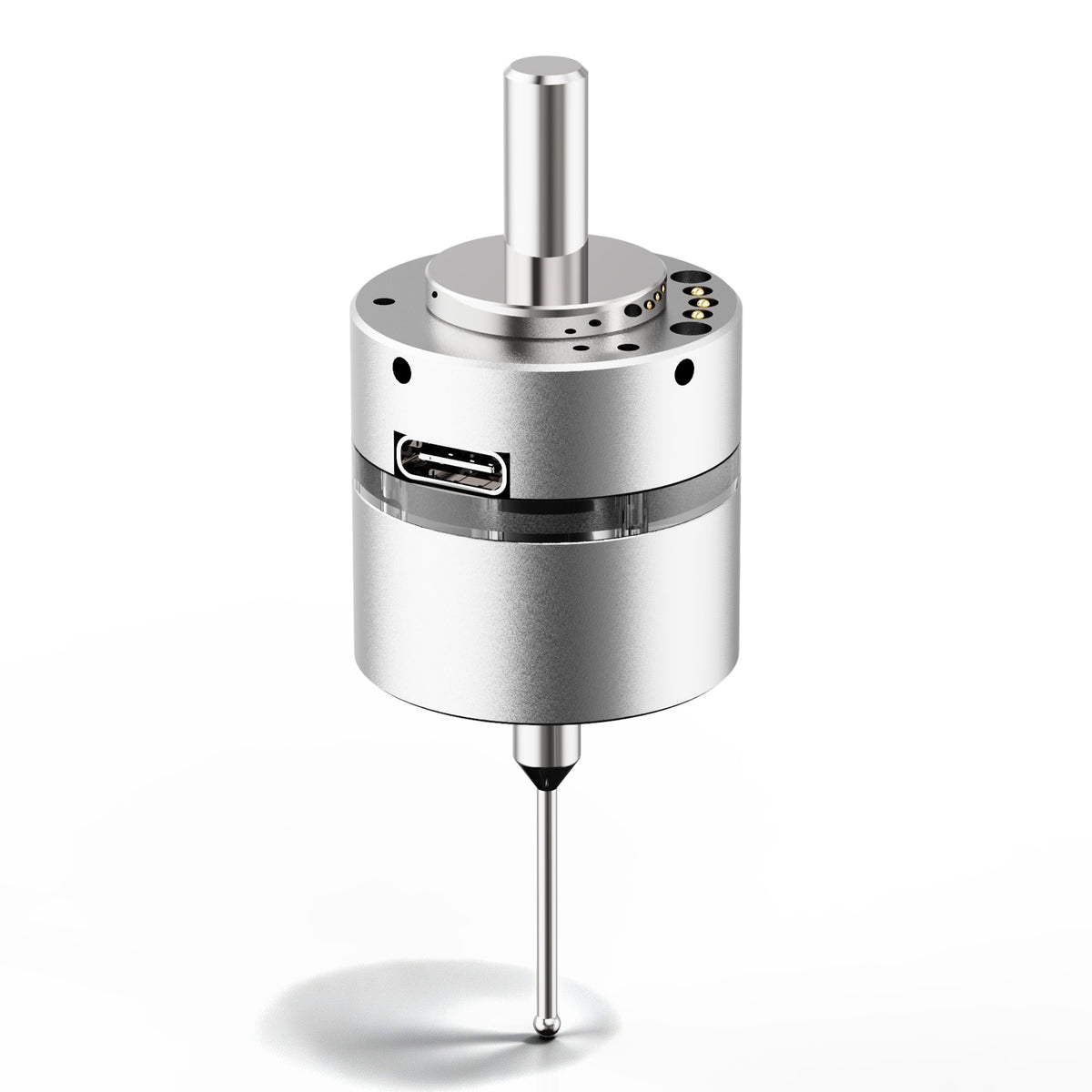
Change the sign's border or lettering in the design, and the geometry changes. Move an otherwise unchanged blank, and its relationship to the machine changes. Separating those two changes explains why an origin-positioning accessory can be useful even when all the CAD work is complete. It also explains why acquiring more shape data would not, by itself, solve the current positioning problem.
When the Shape Is Unknown, Location Alone Is Not Enough
Now consider a different hypothetical project: a curved decorative original with no usable drawing or digital model. The maker wants its surface form as a starting point for a new design. Locating one reference on that object would say where that reference is, but would leave the surrounding curvature undescribed. The missing information is the shape, not simply the object's position.
Optical 3D scanning can capture surface positions as a point cloud—a set of measured points used to represent geometry. Scanology's discussion of scanning in CNC workflows describes this noncontact surface-data role. For the decorative original, such data can provide a basis for developing a digital representation instead of treating a workpiece reference as though it contained the entire form.
A few reference coordinates and a description of a surface therefore have different jobs. Knowing where selected points lie does not establish everything between them. Conversely, gathering many surface points does not decide what the new part should be. In this example, the maker must still decide whether the goal is to reproduce the original form, change it, or use only one portion of it. Captured geometry supplies information for that decision; it does not make the design decision.
This is also why a scanner is not automatically necessary whenever an object lacks a CAD file. If the required new design is already fully defined by a drawing or other sufficient dimensions, the project may not need a surface-capture stage. If the unknown curvature is essential to the intended result, locating the object alone cannot supply it. The requirement changes with what the maker actually needs to learn.
A Digital Shape Still Needs a Relationship to the Physical Setup
A scan can describe an object in the capture system's coordinate frame. A CNC program and the stock on the machine need their own defined relationship. A coordinate is meaningful within its reference system; the presence of coordinates in a scan does not automatically make them the work coordinates for a separate machining setup.
Imagine that the decorative original is captured away from the CNC. Later, a new blank is secured for machining the resulting design. The digital surface describes the original, while the blank is a different physical object in a different setup. Its location has not been established merely because a model now exists. The geometry and the machining reference must be connected through an appropriate alignment and setup workflow.
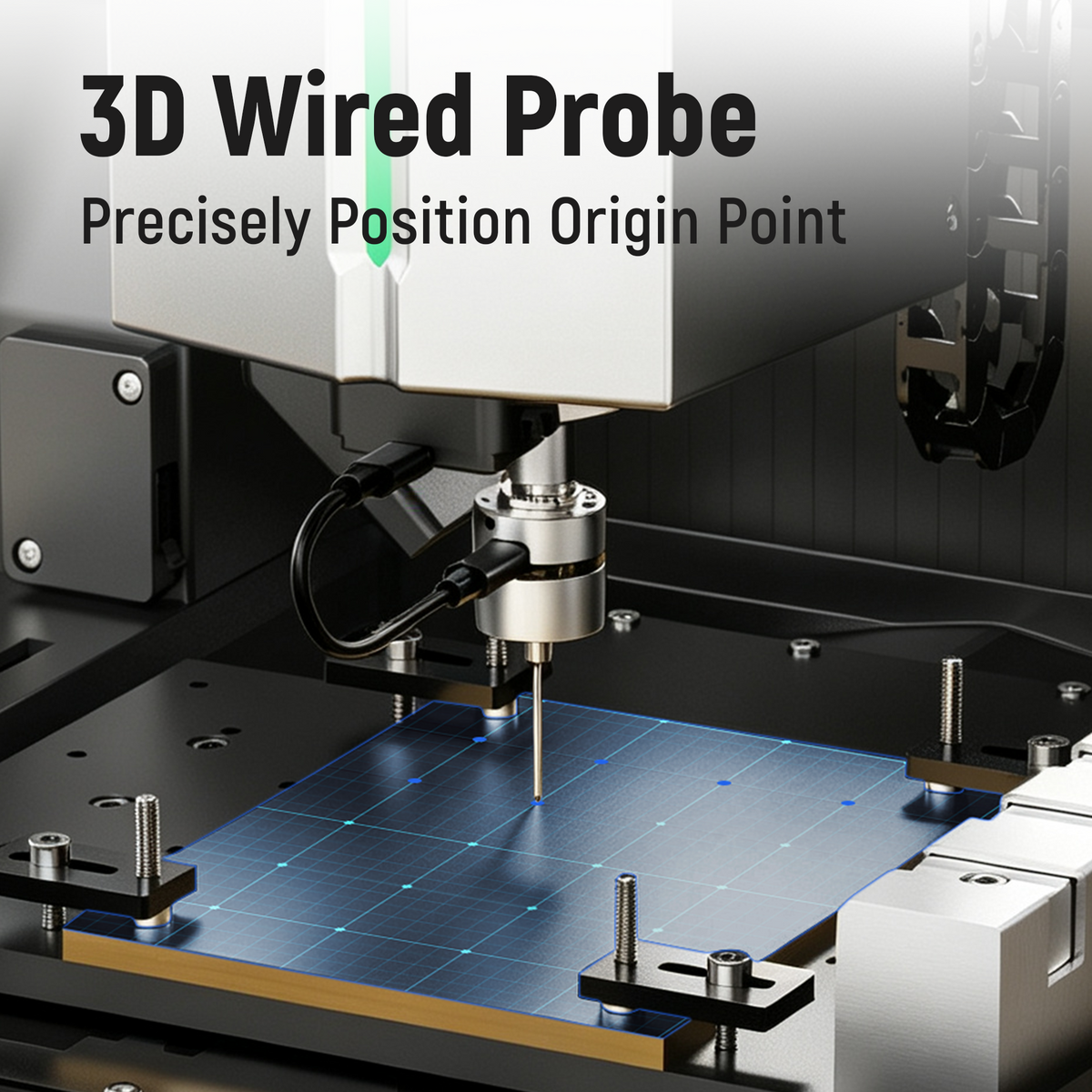
For a project being prepared for the ED1 desktop CNC router, this separates the enclosed machining platform from the information used to prepare its work. The model describes the intended geometry; the supported setup process relates the program to the secured stock. Neither the machine's name nor the existence of a scanned model removes that distinction.
Some projects can therefore use both information flows: capture an unknown original, develop the design, then locate a prepared blank for machining. That is not a recommendation to buy both devices for every job. A known-design project may need no scanning, while a geometry-capture project that is not being machined may have no immediate need for an in-machine workpiece reference. The appropriate system depends on the stage and the required output.
Scanology also discusses integration between captured data and CNC systems. Such integration is a system-specific relationship, not a promise that any scanner can be connected to any controller. A surface file, a usable machining program and a valid physical setup are separate results. The chosen workflow has to connect the results the project actually needs.
Contact Scanning Prevents a Simple “Probe or Scanner” Rule
Contact does not always mean workpiece location, and noncontact does not define every geometry-capture system. Renishaw's CMM documentation distinguishes touch-trigger probes that acquire discrete points from scanning probes that measure surface form through stylus deflection combined with machine position. Dedicated contact scanning systems can acquire form and profile data, and can also acquire discrete points.
That example matters because it separates the sensing mechanism from the job performed. A probe used to establish a workpiece reference and a contact scanning system may both touch a surface, but they do not necessarily produce the same information. Renishaw describes close integration of the scanning sensor, machine control and data analysis. The shape-capture capability belongs to the supported system, not to the word “probe” alone.
The same reasoning applies to a product called a “3D wired probe.” Three-dimensional positioning and three-dimensional surface reconstruction are different outputs. For the ED1 accessory, the relevant documented relationship here is origin positioning. A geometry-capture requirement should be matched to a system documented for that output; it should not be inferred from the accessory's name or an illustration.
There is consequently no useful universal accuracy winner in a CNC touch probe vs 3D scanner comparison. The first question is whether the output answers the right question. A dense collection of points is not, by itself, evidence that a work origin is correct, and a correctly established reference is not a complete surface model. Performance comparisons only become meaningful when they concern the actual systems, required result and matching conditions.
For the sign maker with a finished design, evaluate the workpiece-location workflow. For the maker who needs the unknown curved form, evaluate geometry capture and how its output will be used. If the project moves from one need to the other, identify the reference relationship between those stages rather than assuming it transfers automatically. Any physical setup must follow the exact machine's approved procedure, with the spindle stopped for physical adjustments and the stock securely held.


